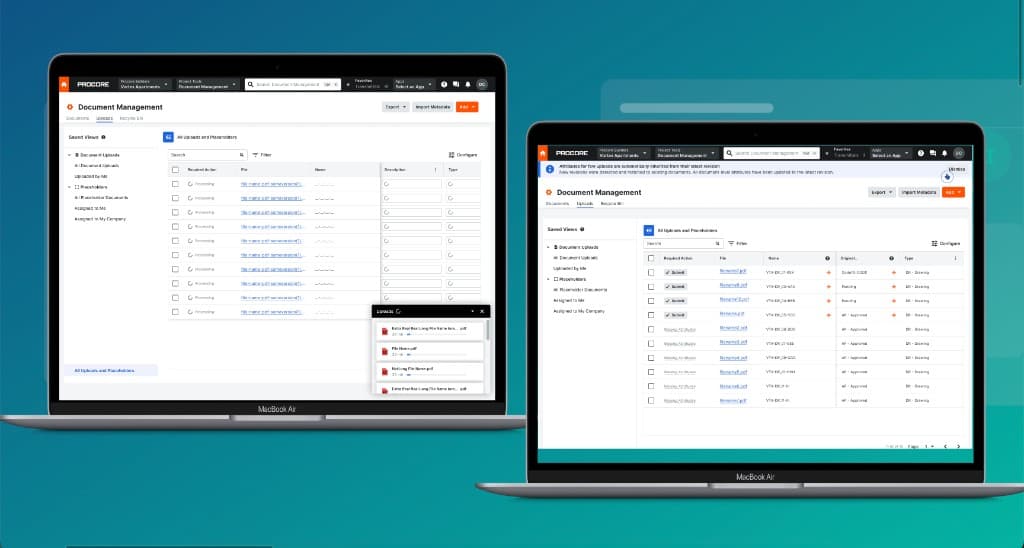
AI-assisted document metadata — from chaos to one click
Procore PDM — Strategic initiative to audit, identify gaps, and drive AI-powered upload enhancements
- Strategic context
- Pillars 1 & 2 of Procore PDM — Setup & Admin, Upload Efficiency & Maintenance
- My role
- Senior Product Designer · audit, research, AI-assisted exploration, prototype, handoff
- Timeline
- Ongoing · 2025 — first 2 initiatives shipped, last 2 in next quarter
- AI tools used
- Claude, Cursor, Figma Make, Figma AI, NotebookLM, Gemini, Unwrap.ai
Background
Overview
Procore's Document Management (PDM) is the source of truth for construction documentation on some of the world's largest building programmes. It lives inside Procore CDE — and for document controllers, it's the tool they live in all day.
This initiative was about two of PDM's four strategic pillars: Doc Setup & Admin, and Doc Upload & Maintenance. My job was to audit the current experience, benchmark it against competitors, and then design four AI-powered enhancements that would make the most common and most painful workflows faster and more reliable.
The problem
How might we reduce the manual overhead of managing construction documents — so document controllers can upload, version, and maintain records without re-entering the same data twice?
Four pillars. Two are mine.
Strategic Context
Doc Setup & Admin
How teams configure document types, numbering, permissions, and metadata schemas at the start of a project.
✦ I own thisDoc Upload & Maintenance
How documents are uploaded, versioned, and kept current throughout the project lifecycle.
✦ I own thisDoc Review & Workflow
How documents move through approval, review, and revision cycles.
Doc Deletion & Closure
How documents are retired, archived, or deleted at project close.
How I worked
Research
Workflow audit
Mapped upload and metadata flows end-to-end to surface friction and edge cases before any user was interviewed.
Customer data at scale
Unwrap.ai mined support tickets and NPS responses. NotebookLM synthesised themes across large volumes of text.
Industry benchmarking
Researched Autodesk, Aconex, and Viewpoint — especially on ISO 19650 compliance for the Win Europe strategy.
Customer interviews
Open-ended sessions to surface hidden pain points. Claude and Gemini helped shape guides and refine questions.
Synthesis & milestones
FigJam and Figma AI clustered insights into deliverables. Prioritising problems to solve first was the hardest part.
AI-accelerated design
Figma Make AI for early exploration. Claude for repo-consistent prototypes. Usability tests for ML trust validation.
What customers told us
Manual re-entry is the biggest daily friction
“Every time I upload a revision, I have to fill in the same document number, discipline, and status fields all over again. It takes longer than the actual upload. The system should already know this.”
— — Document Controller, Tier 1 contractor
Automation is welcome — but it needs to be transparent
“I'd trust it if I could see what it read. If the system just silently fills things in and I'm wrong in the audit, that's on me. But if it shows me what it found and lets me confirm — that's actually useful.”
— — Document Controller, Procore CDE usability test
Version detection is the feature they didn't know they could have
“The idea that it could detect this is a new version and link it automatically — that would save me hours every week. Right now I'm doing that lookup manually for every single file.”
— — Senior Document Controller, infrastructure programme
Key constraints
ISO 19650 Standards
Document metadata must conform to ISO 19650 naming and classification rules — a non-negotiable requirement for Procore's European expansion strategy.
Legacy Upload Workflows
Existing customers rely on established upload patterns. Any redesign had to be additive — enhancing the workflow without breaking familiar paths or requiring retraining.
Cross-team Dependencies
Four other PDM workstreams shared infrastructure, design system components, and release trains — meaning every design decision needed sign-off across multiple teams.
Research at a glance
Customer Insights
What we set out to build
The Four Initiatives
Four focused areas of the PDM product, designed to reduce manual overhead and introduce AI-assisted automation across the document upload lifecycle.
User flow mapping
Mapped end-to-end upload and metadata flows to identify the highest-friction moments. Each flow was annotated with pain points surfaced from support data and interviews — making MVP scope decisions evidence-backed rather than assumed.
Prioritising the right MVPs
Flows were scored against frequency of use, severity of friction, and technical feasibility. The top two — auto-read metadata and version detection — had the highest impact-to-effort ratio and became the first two shipped initiatives.
User flow mapping
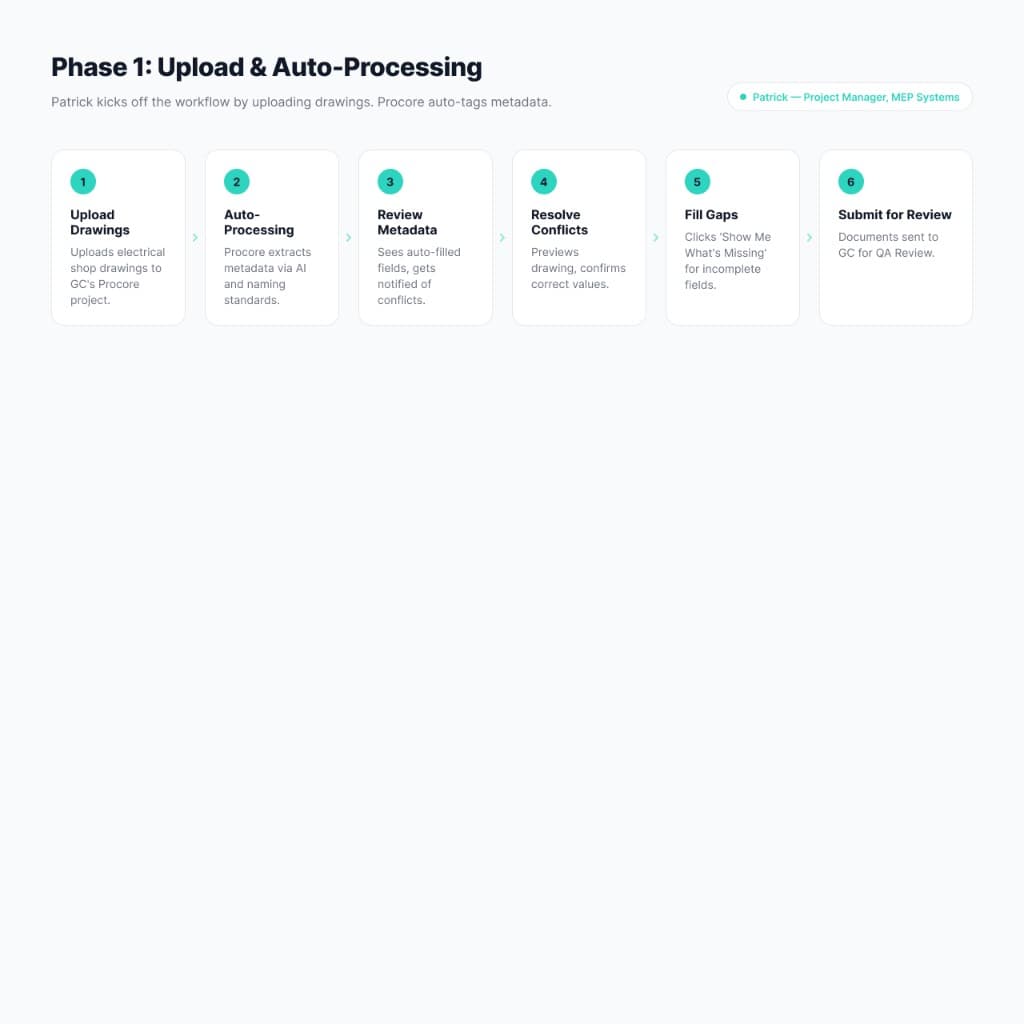
Phase 1: Upload & Auto-Processing
Upload workflow comparison
The same task — uploading a revised document — before and after the initiative.
Before
- ✗Drag file into Uploads tab
- ✗Manually enter document number
- ✗Re-enter discipline, type, and status
- ✗Search for the parent container to link the revision
- ✗Re-enter version number manually
- ✗Submit for review
After
- ✓Drag file directly onto the document container
- ✓System reads embedded metadata and surfaces suggestions
- ✓Confirm or edit the auto-read fields in one step
- ✓System detects existing container and links automatically
- ✓Version number assigned automatically
- ✓Submit with one click
Design exploration
From lo-fi to hi-fi — with AI in the loop
I practically explored a wide range of design directions across both lo-fi and hi-fi fidelities. Rather than converging early, I used AI tools — Figma Make, Claude, and Cursor — to rapidly generate and stress-test ideas before committing to any single direction.
The exploration covered icon systems for AI-assisted states, How Might We reframes that opened up unexpected directions, UI challenges around trust and transparency in AI-suggested metadata, and feedback loops from early rounds of usability testing. The goal was to find the smallest, most legible surface that would make AI feel like a collaborator — not a black box.
Figma exploration
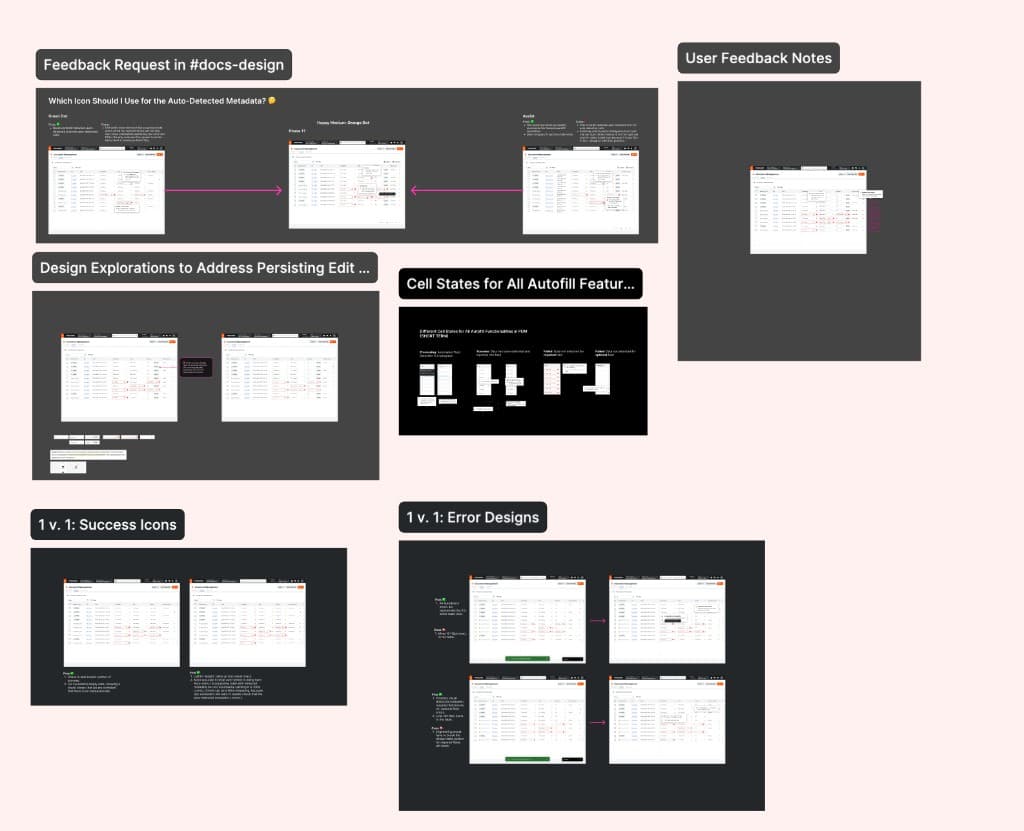
Cell states — Processing, Success, Error across required and optional fields
Results
Outcomes
Auto-read metadata and version detection with inheritance are live in production. Auto-numbering and deletion workflows are in delivery for next quarter.
Measured across validated usability tests — document controllers completed the revised upload flow with significantly fewer abandonment points.
The new metadata framework meets the ISO 19650 standard required for European construction programmes — directly supporting Procore's Win Europe strategy.
The benchmarking gaps against Autodesk and Aconex on metadata automation and version handling have been closed or are on track to close this quarter.
“The automated metadata made us trust the system more — knowing it was reading our documents and flagging what it found, rather than asking us to fill in the same fields again.”
Reflection
AI as Design Partner
What made this project different was how embedded AI was across the entire design process — not as a gimmick, but as a genuine accelerant at each stage.
Unwrap.ai surfaced patterns in customer feedback in hours that would have taken weeks manually. NotebookLM and Gemini helped me stress-test interview scripts and generate edge-case scenarios before a single session ran. Claude helped me refine interview details and sharpen use cases during synthesis.
For design exploration, Figma Make AI gave me rough UI options to react to before I'd invested any fidelity. By pointing Claude at our internal UI repo, I turned those rough concepts into repo-consistent prototypes. Claude also ran UI feasibility checks that caught edge cases — concurrent user conflicts, ML processing states, permission matrix gaps — before engineering had to.
The biggest lesson from this project: in high-stakes enterprise workflows, visible automation builds more trust than invisible automation. Showing users exactly what the AI read — and giving them a clear path to correct it — turned skeptics into advocates.
Next case study

Case study coming soon
Procore PDM — 2025