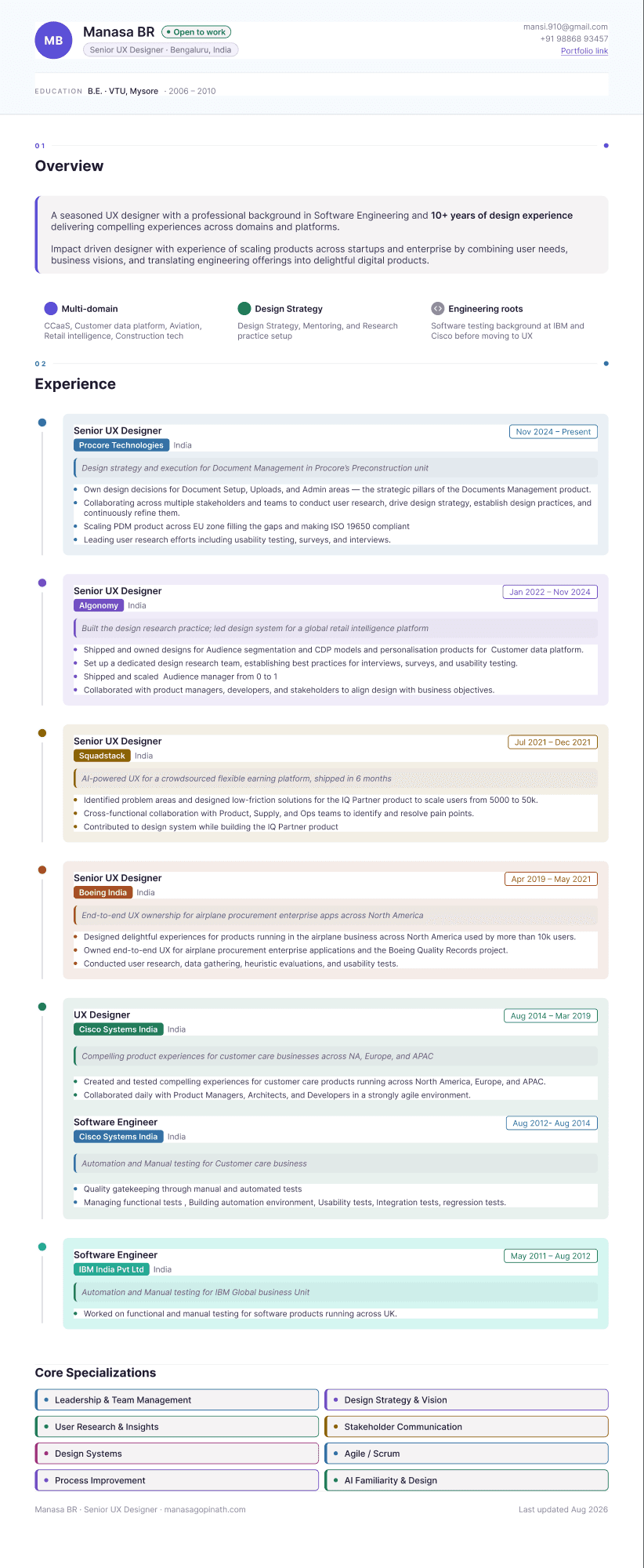
An interactive résumé that became an editable Figma file — no re-drawing required
Personal project — Cursor Canvas to Figma, via MCP
- The idea
- A résumé that behaves like a product, not a PDF — built and tuned live inside the IDE
- My role
- Design and build — the canvas artifact, its styling system, and the Figma handoff
- Tools used
- Cursor Canvas, Figma MCP
- Output
- A live React artifact and a fully editable Figma file — same content, two mediums
Background
Overview
A static résumé is a strange medium for a UX designer to be judged by — a PDF says nothing about how you actually think about layout, hierarchy, or interaction. So I built mine as a Cursor Canvas: a live React app that renders inside the IDE, with a styling system I could tune in real time instead of exporting and re-checking a PDF after every change.
The more interesting part came after: using Figma's MCP tooling, I translated that canvas artifact into a Figma file — not a screenshot dropped into a frame, but real, editable components with their own layer structure. The frame is named "Senior UX Designer Resume" inside my explorations file, and it holds up to normal Figma editing — text, layout, and components can all be adjusted the standard way, because the MCP bridge preserved structure instead of flattening it to pixels.
How it worked
From code, to canvas, to Figma
Build the canvas artifact
A React component rendered live inside Cursor — content and styling as code, so changes were instant instead of export-and-check.
Bridge through Figma MCP
Used Figma's MCP server to translate the rendered artifact into real Figma primitives — frames, components, and text layers — instead of a static image.
Refine natively in Figma
Once the structure existed as real components, the remaining polish happened the normal Figma way — no re-drawing from a screenshot.
Why this mattered
The output wasn't just "a résumé in Figma" — it was proof that the code-to-design bridge holds up on something more structurally demanding than a marketing page: a densely laid-out, typographically detailed document. If it works here, it works on the prototypes I build for actual product work.